

Carrier locks are one of those things that seem fine until you actually need to switch networks or travel abroad. If you picked up the Samsung Galaxy A06 5G through a carrier, there’s a good chance it’s locked to that specific network. This means you can’t just pop in a SIM from another carrier and expect it to work.
The Galaxy A06 5G is Samsung’s latest budget offering with 5G support, and while it’s affordable, being locked to one carrier can be limiting. Whether you’re planning international travel, want to switch to a better plan, or just prefer having options, unlocking your Samsung Galaxy A06 5G gives you the freedom to use any compatible carrier’s SIM card.
This guide walks you through both free and paid methods to remove that carrier lock.
Getting your Galaxy A06 5G unlocked for free through your carrier
The most cost-effective way to unlock the Samsung Galaxy A06 5G is requesting an unlock code directly from your carrier. Since 2014, US carriers have been legally required to provide customers with a way to unlock their phones at no cost. But you’ll need to meet certain requirements first.
Your account must be current with no overdue payments. The device needs to be fully paid off if you bought it through an installment plan. You’ll also need to have owned the phone for at least 60 to 90 days, depending on your carrier’s specific policy.
If you meet those requirements, here’s what you need to do:
- Launch the Phone app on your Galaxy A06 5G and dial *#06# to display your IMEI number. Write this number down somewhere you can reference easily.
- Call your carrier’s customer service and request a SIM unlock. They’ll ask you to provide the IMEI number you just noted.
- If everything checks out, expect to receive your unlock code via email within 2 to 5 business days.
- When the code arrives, power off your phone and swap out the SIM card with one from a different carrier.
- Turn your phone back on and you’ll be prompted to enter the unlock code.
- Type in the code from your email and your Galaxy A06 5G will be unlocked.
Keep in mind that different carriers handle the process differently. Verizon automatically unlocks phones after 60 days, while T-Mobile and AT&T require you to request the unlock manually. Some carriers, like those using the Device Unlock app, have their own specific process.
Fast paid alternative if your carrier won’t unlock
Maybe your carrier denied your request, or you can’t wait several days for the code to arrive. That’s where paid Galaxy A06 5G unlock services come in handy. For a small fee, you can get your unlock code delivered within hours instead of days.
Here’s how the paid method works:
- Launch the Phone app and dial *#06# to get the device’s IMEI number.
- Visit the Android SIM Unlock website
- Enter your IMEI number, email address, current carrier name, and country on the unlock service page.
- Complete the checkout process using your preferred payment method.
- Once payment is made, you’ll receive the Galaxy A06 5G unlock code via SMS or email, typically within a few hours.
- Power off your device and swap in a SIM card from another carrier.
- Power on your phone and when prompted, enter the unlock code you received.
- Your Galaxy A06 5G should now be unlocked and ready to use with any compatible carrier.
The paid unlock service for the Galaxy A06 5G is particularly useful if you need immediate access to another carrier’s network. This is common for people traveling abroad who want to avoid expensive roaming charges by using local SIM cards. The same approach works for other Samsung devices, including the Galaxy A13 and Galaxy S23 Ultra.
It’s crucial to understand that unlocking your Samsung Galaxy A06 5G doesn’t release you from any contractual obligations with your carrier. If you’re still paying off the device through monthly installments, you’re still obligated to make those payments. You’ll also need to continue paying your monthly service bills. The unlock only gives you the freedom to use different SIM cards in the phone.
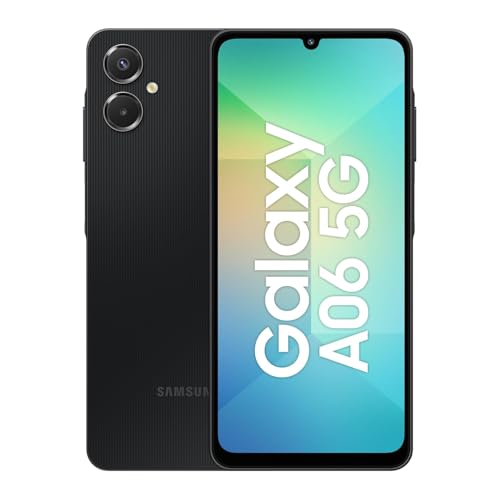
Samsung Galaxy A06 5G | 128GB, 2025 | IP54 Splash Resistant, 6.7″ 90Hz…
- 20W Fast Charger UL Certified Cube is Included in Bundle, 6.7″ 720 x 1600 (HD+) PLS LCD, 5000mAh Battery, 3.5mm Stereo…
- 128GB ROM, 4GB RAM, Expandable microSDXC (used SIM slot 2), Mediatek Dimensity 6300 (6 nm), Octa-core, Mali-G52 MC2 GPU
Note: this article may contain affiliate links that help support our authors and keep the Phandroid servers running.