
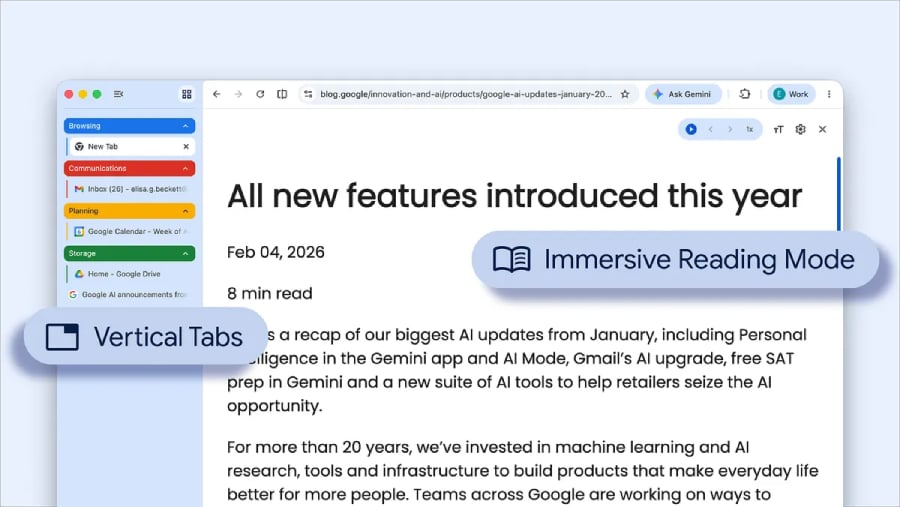
Chrome is rethinking how you browse with new vertical tabs and a cleaner reading mode to cut out clutter and boost focus.
Google announced a new Chrome update on April 7. But instead of its routine fixes, the tech giant introduces two notable shifts that change how users navigate the browser. For the first time since its launch, Chrome is changing how tabs are positioned, giving users the option to switch to a vertical layout or stick with the traditional horizontal view.
In addition to tab repositioning, Chrome introduced a better way to focus while reading: a reading mode that instantly cuts off distracting media, improving overall productivity.
Catching up to a long-running trend
Google Chrome, which leads the browser market, is actually late to the party here. Microsoft Edge, one of its biggest rivals, especially on Windows, rolled out this feature back in 2021, and it’s not the only one to do so. Mozilla Firefox also supports this feature, which Apple’s Safari has yet to implement.
For Google, this latest feature is part of its plans to make the Chrome browsing experience more seamless for users whose work requires constant tab switching. In February, it introduced split tabs, a feature that lets users view two tabs side by side, reducing reliance on extra monitors or manual tab switching.
Its product announcement reads:
“By moving your tabs to the side of your browser window, you can read full page titles and manage tab groups with ease — even when your tab count hits double digits. This layout is perfect for multitasking, saving you time by making sure you never lose a tab.”
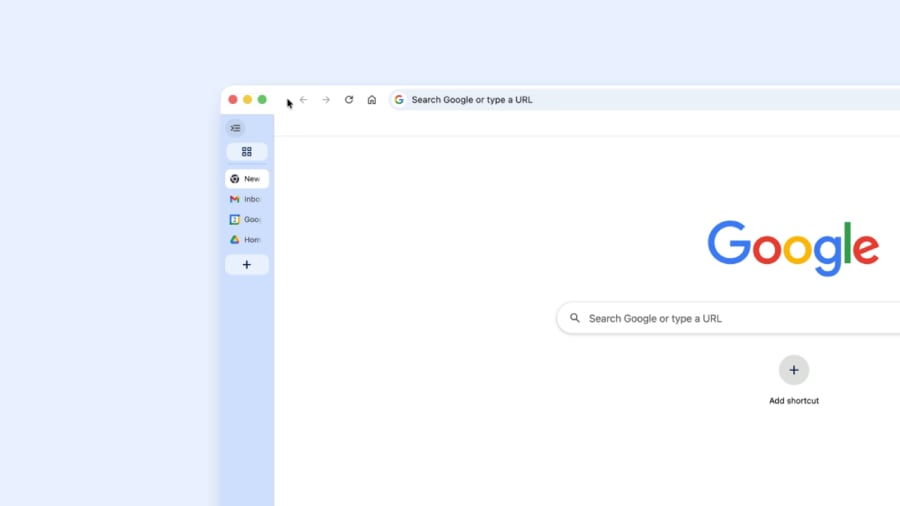
While this is currently rolling out in batches, users who’ve gotten it can simply right-click any Chrome window and select “Show Tabs Vertically.” Doing so immediately moves all current tabs in that Window to the side of your Windows.
To switch back to the more familiar layout, follow the same steps and choose to show your tabs horizontally.
Study enthusiasts now have their time
Anyone who does a lot of research studies will agree with me that one of their biggest frustrations is the long list of pop-ups and embeds found on webpages. Well, Chrome’s newest update just fixed that for you.
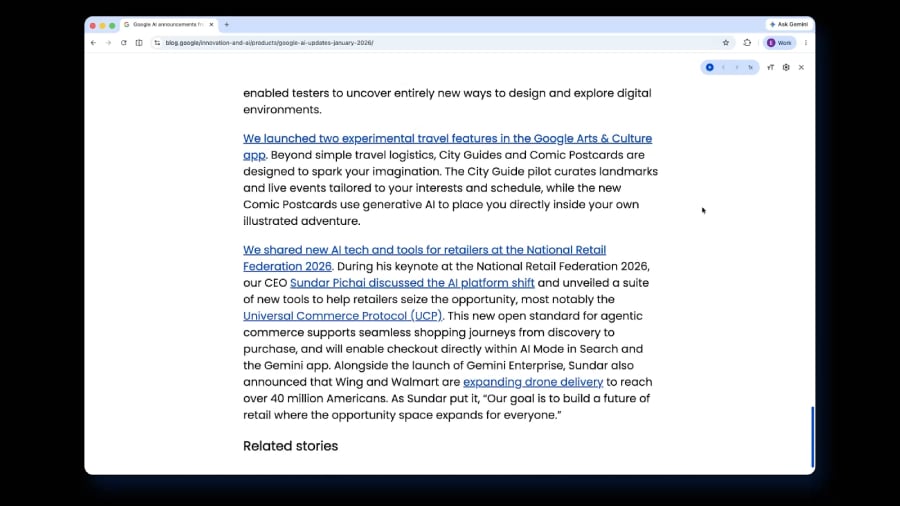
Although Chrome has had this feature before, the current update brings more polish and visibility to Reading Mode, instantly turning a graphics-heavy page into a clean document-like view, unlike its previous version, which opened in a side panel.
To enable this feature from any webpage, right-click on any webpage, then from the drop-down, select “Open in reading mode.”
Innovation in a competitive landscape
Google’s latest Chrome update doesn’t attempt to reinvent browsing; rather, it focuses on perfecting the user experience for existing features. This subtle UI refinement aligns with changes already observed in the industry — silent functional changes over dramatic ones.
But Chrome is not an outlier; if it’s not playing catch-up with other browsers, it’s setting the pace. Overall, the competition continues, and even Google, which already dominates the space, isn’t slowing down in introducing beneficial changes to its browser.
Also read: Meta’s new AI scam detection tools for Facebook, Messenger, and WhatsApp show how major platforms are trying to spot fraud before users get pulled in.