
YouTube Shorts can be addictive, just like TikTok. Watching just 10 videos can turn into scrolling through 30. To free you from doomscrolling YouTube Shorts, there’s now a way to turn off the feature entirely on mobile. YouTube mobile users on both iOS and Android can try it out.

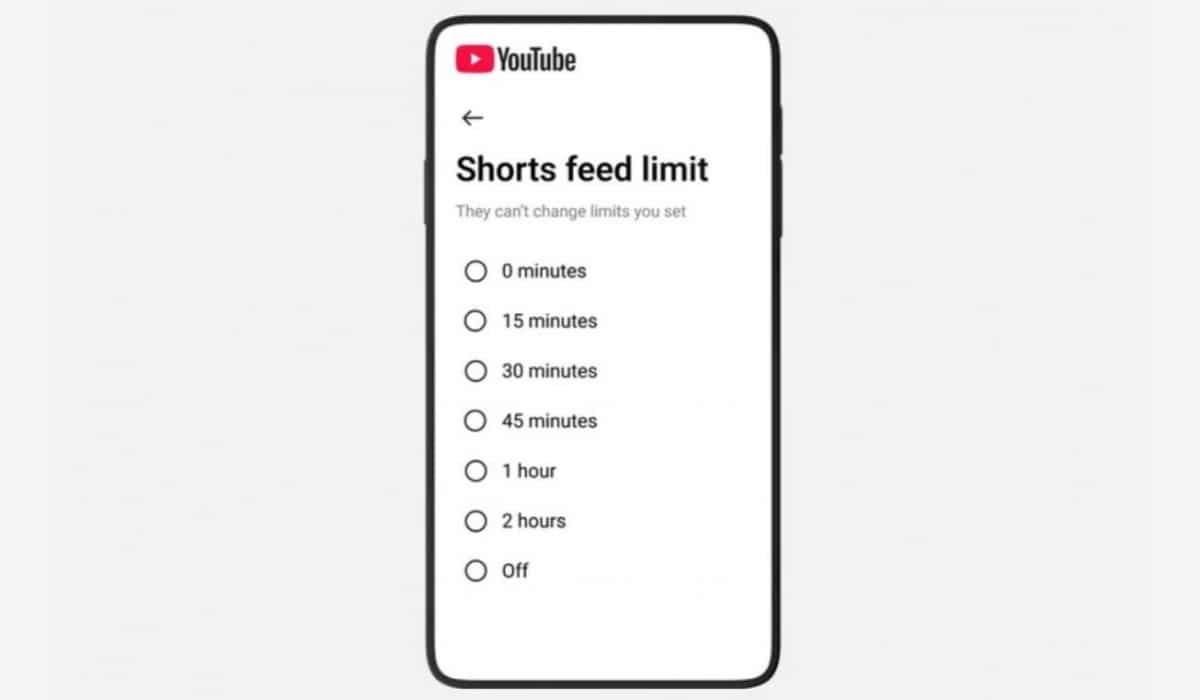
While existing time management options are featured on YouTube mobile to allow users to set limits on their Shorts consumption, the new update expands on this feature. A new 0-minute option has been added to the Shorts Feed limit timer.
Before now, 15 minutes was the minimum time limit, but with the new 0-minute option, users can effectively disable Shorts completely on mobile.
Go to the Time management section in the YouTube app’s Settings to access the Shorts Feed limit timer. Once activated, tapping on the Shorts tab will display a ‘time limit reached’ message, preventing further access to the feed.
Disclosure: When you purchase through links on our site, we may earn an affiliate commission.