
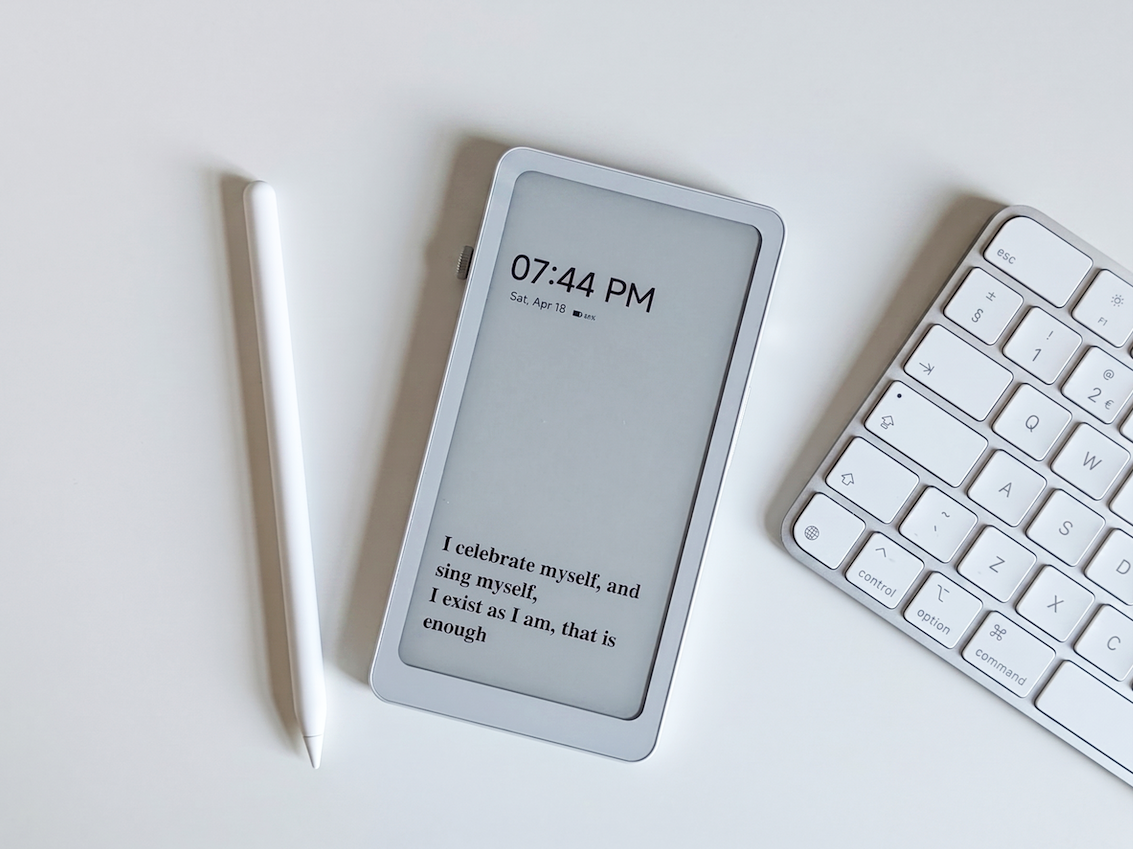
E-readers have come a long way—while some might dispute Amazon’s monopoly in this particular product segment, it’s safe to say that the Kindle brand has more or less been the “de facto” name when it comes to e-Readers, although that’s not to dismiss the fairly impressive efforts made by competing brands over the years.
Take for example the DuRoBo Krono, a new pocket-friendly e-Reader that promises a lot thanks to a myriad of built-in features, and is priced at $279.99 for North American buyers. Given its somewhat high price however, is the Krono worth the investment, especially for users just after an accessible way to carry all their digital literature with them? Let’s take a look.
DuRoBo Krono Features
- 6.13-inch E-Ink display (824×1648 pixels)
- Built-in front light
- Plastic design; rear LED indicators
- Support for WiFi and Bluetooth Connectivity
- 3950mAh battery
- Android with Google Play Store Support
- USB-C support
- Built-in loudspeakers and microphone
The Good Stuff

Perhaps one of the biggest features of the Krono is its design—unlike most e-Readers which feature wider display aspect ratios, the Krono’s overall shape is more akin to that of a smartphone, making it easier to use with one hand. The 6.13-inch E-Ink display in front is reasonably sharp, and provides a straightforward user experience. It’s also front-lit, with several levels of brightness that can easily be adjusted with the rotating crown on the left-hand side.
Speaking of controls, the rotating crown can be configured to other functions such as page scrolling, which makes it a pretty handy addition. You’re also getting a wake/sleep button on the right-hand side of the device, as well as a volume rocker—that’s right, the Krono also comes with audio capabilities, courtesy of its built-in speakers, although there’s also Bluetooth support for wireless audio accessories, adding another layer to its versatility.
Another major highlight of the Krono is its software—it runs on Android (15, to be precise), which means that users can sideload apps on the device.
Another major highlight of the Krono is its software—it runs on Android (15, to be precise), which means that users can sideload apps on the device. Our review unit came with the Google Play Store pre-installed, and I was able to install Google Play Books to access my ebooks, which essentially gives you more freedom when it comes to how you want to manage your digital library.
Another major highlight of the Krono is its software—it runs on Android (15, to be precise), which means that users can sideload apps on the device. Our review unit came with the Google Play Store pre-installed, and I was able to install Google Play Books to access my ebooks, which essentially gives you more freedom when it comes to how you want to manage your digital library. I was even able to install a Gameboy Advance emulator out of sheer curiosity, although refrained from running any games given the limited refresh rate of the E-Ink display.

Much like most other consumer electronics these days, the device also comes with an AI voice assistant that can be summoned with a double-press of the crown. You can either type your queries or speak them out loud (it comes with a built-in mic), and depending on your internet connection the responses are reasonably speedy. While it does give general trivia answers for example, it was unable to provide me information on specific information like the current weather, for example.
In terms of battery life, the 3950mAh unit inside the Krono can pretty much last for more than a week of use, especially given the low-power consumption. That being said though, functions beyond e-Book reading such as audio playback and internet browsing for example will take a noticeable chunk from your full charge.
Some Considerations

With all the features that it comes with, it could use a bit of improvement in some areas. For one, while the device’s construction is overall lightweight and pocket-friendly, the all-plastic build does leave a bit to be desired at times. That’s not to say that it’s “terrible” as it does feel relatively sturdy, although given the Krono’s price, a dash of aluminium here and there would have been most appreciated.
Additionally, while the AI assistant works decently, there are times when it fails to register my vocal query, instead forcing me to type out my question or request, which does defeat the purpose of the built-in microphone in the first place. There were also a couple of times when the UI would stutter a bit when navigating through some of the device’s built-in menus.
The Verdict

So far, the DuRoBo Krono manages to pack a lot of the essentials which aren’t easily found on competing e-Readers, and features like access to Google Play, comfortable handling and impressive battery life are major highlights of the device. That being said however, quirks like the AI functionality and subjective build quality should be taken into consideration, especially if you’re thinking of investing in the Krono instead of more “mainstream” choices from brands like Amazon and Kobo, to name a couple.
Overall though, there’s a lot to love about the Krono, and users who are after a straightforward e-Reader with some added functionality will definitely want to check out this one.
Note: this article may contain affiliate links that help support our authors and keep the Phandroid servers running.