
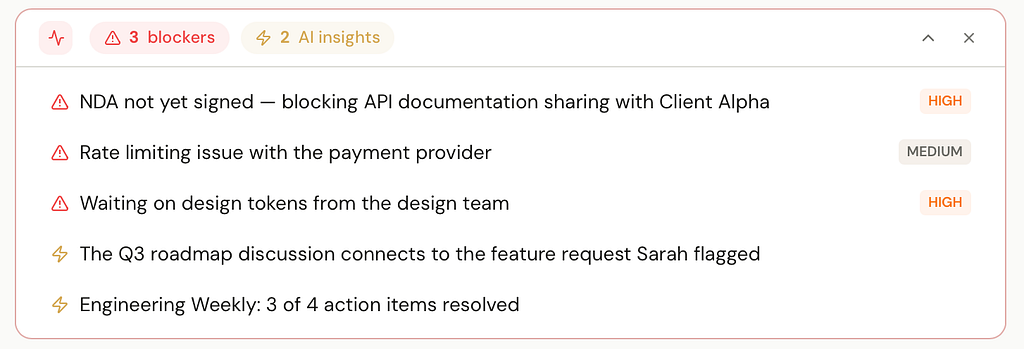
Last month, my morning briefing flagged a blocker I’d completely forgotten about.
A dependency buried in meeting notes from two weeks earlier was silently holding up a task in a different project. I hadn’t connected the dots. I hadn’t even re-read those notes. But the agent had — and the briefing surfaced it before anything broke. The line that caught my eye, verbatim:
The Q3 roadmap discussion connects to the feature request Sarah flagged. The API spec draft depends on the 2 PM design review.
That was the moment I realized I’d actually built the thing I’d been failing to do manually for years.
The real gap
I’m good at taking notes. I write things down. I log decisions. Capturing information was never the problem.
The problem is what happens after. Notes degenerate — not because you forget they exist, but because nothing acts on them. The decision you made three weeks ago sits in a document nobody will re-read. Action items from
Tuesday’s meeting transcript never become actual tasks. Research docs that should have triggered follow-ups sit untouched.
I got tired of being the glue between my own notes.
Why existing tools don’t fix this
Every “AI-powered” workspace tries to solve this by adding a chatbot on top. But it’s still waiting for you to ask. It doesn’t notice patterns across your work. It doesn’t connect what you wrote three weeks ago to what’s happening now. It just sits there, slightly smarter than a search bar.
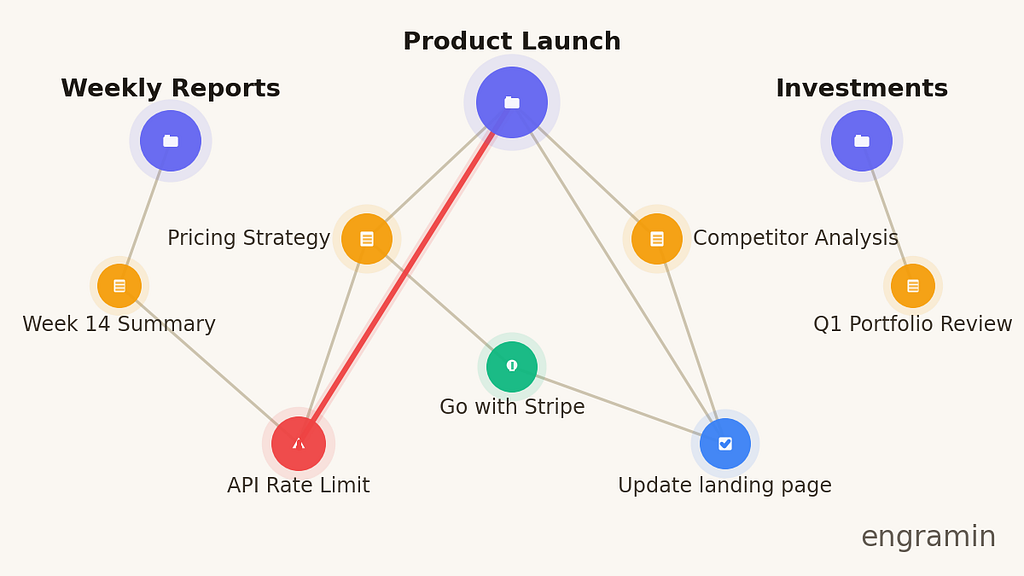
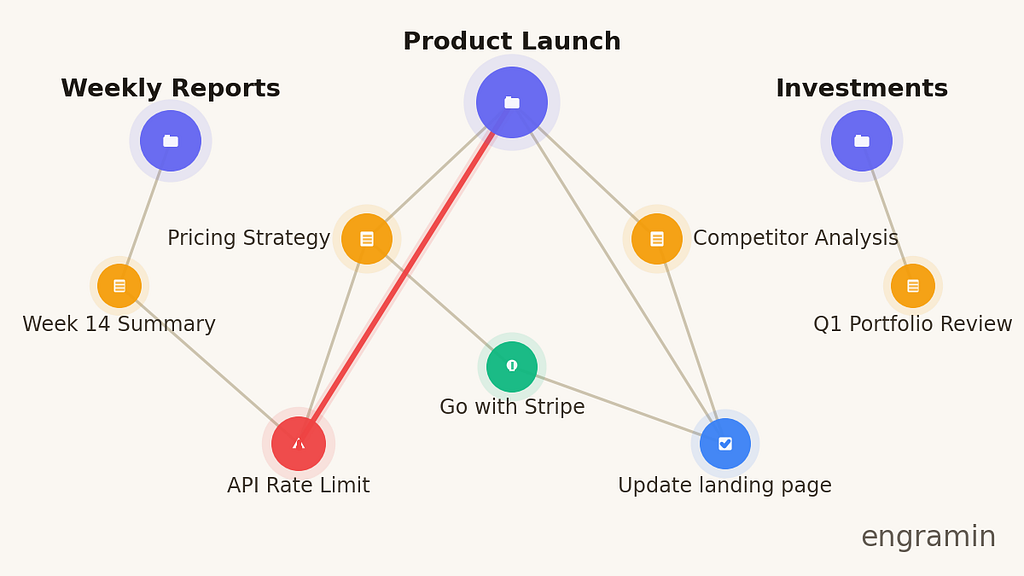
Here’s the deeper issue: documents don’t have semantic structure. They don’t know what a “decision” is. They don’t know that the person in your research notes is the same stakeholder blocking your product launch. They don’t know that a task in one project depends on a meeting outcome in another. There’s no entity model for the AI to reason over — just text in pages.
Without that structure, “AI notes” is autocomplete with extra steps.
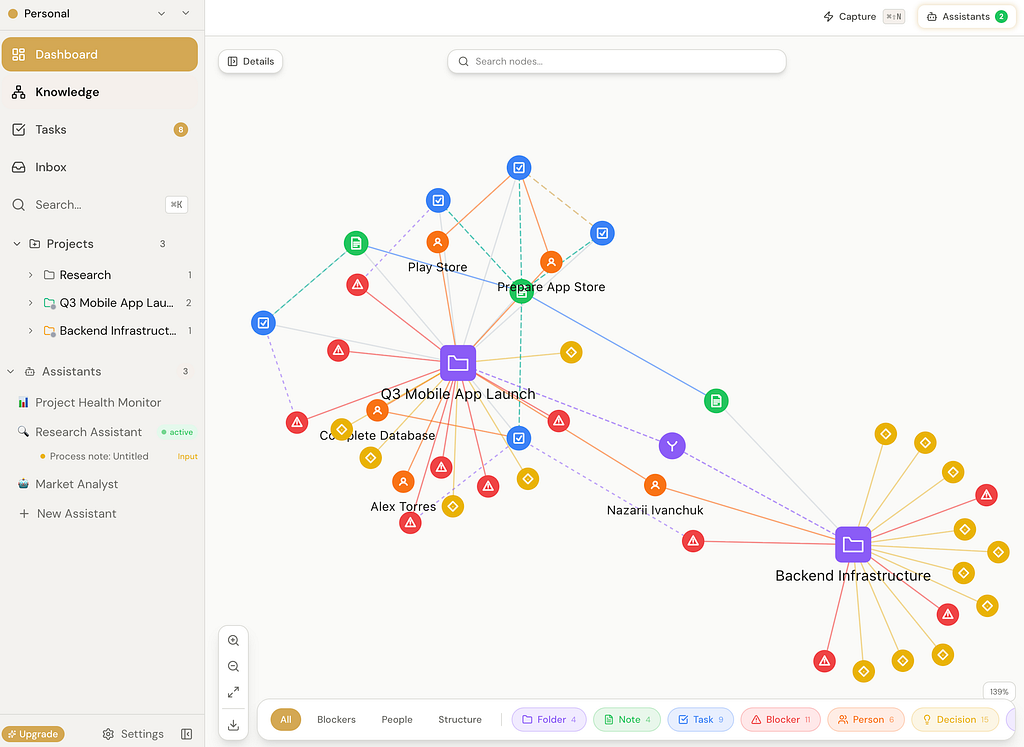
I wanted a workspace where every note, decision, blocker, person, and task lives in a knowledge graph that AI can traverse and act on. Not a chatbot bolted onto a file system.
I’ve spent months building tools around this problem — knowledge management, project coordination, trying to make scattered information actually useful. This wasn’t a weekend hack. It was the product I kept needing and kept not finding.
So I built Engramin.
What this looks like in practice
Last Tuesday. A 40-minute product sync — the kind of meeting where five things get decided, three get assigned, and two get forgotten by Thursday.
I did nothing with the notes. I closed my laptop and went for a walk.
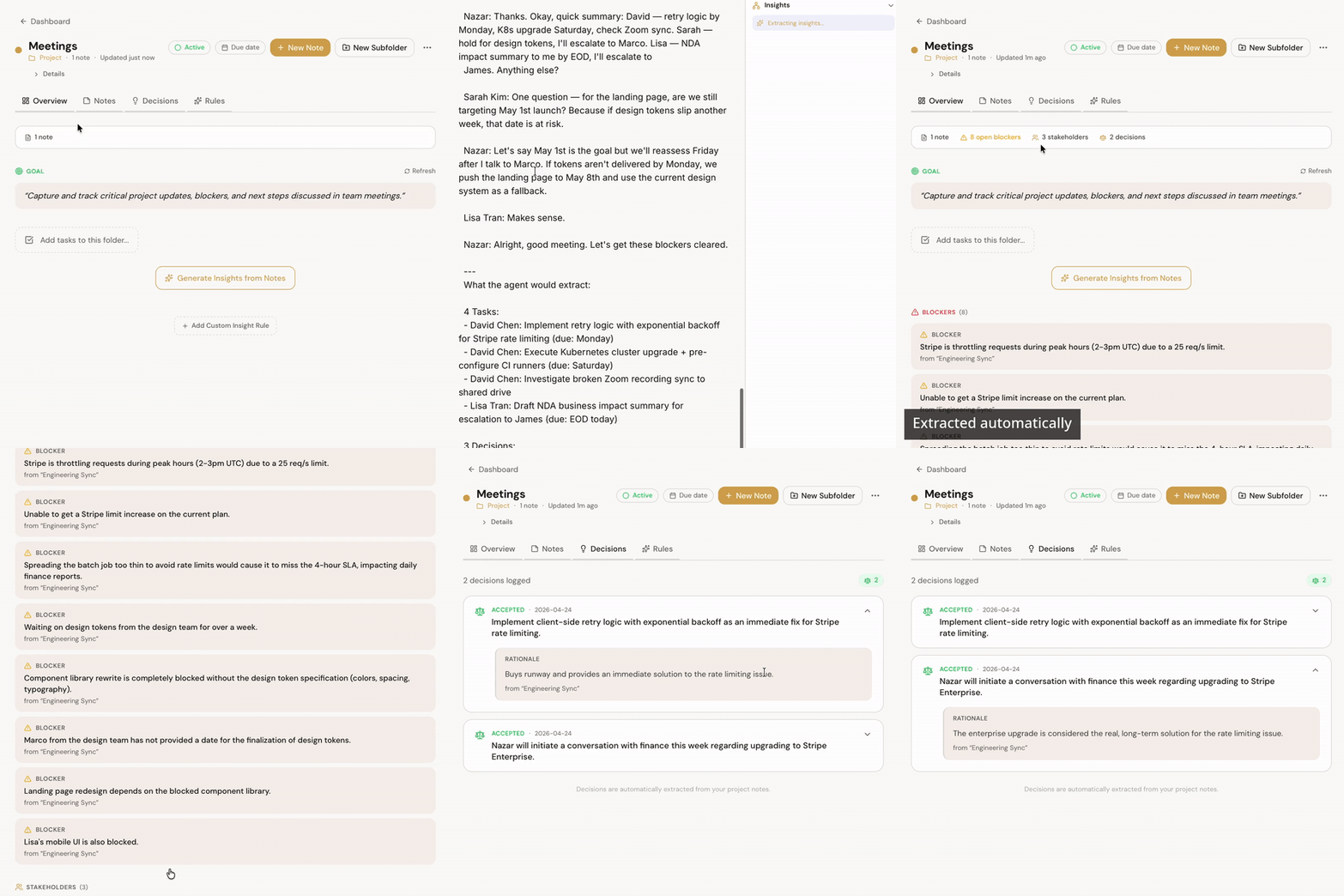
By the time I got back, the Zoom transcript had been processed. In the project folder, I had:
- 3 new tasks, each tagged to the right person, with the context sentence from the transcript attached
- 2 decisions logged as first-class entities — not buried in a paragraph, but linked to the projects they affect
- 1 blocker flagged on a different project entirely, because someone had mentioned in passing that the auth migration was pushing back a launch date I cared about
The blocker is the part that still surprises me. Nobody in that meeting was working on the project it blocked. No human in the room would have routed that detail anywhere useful. But the graph knew the auth migration was adependency for something else, and the agent wrote it where it belonged.
That’s what “assigning notes to agents” means. You stop deciding what’s important at capture time, because you no longer have to.
Agents that actually run
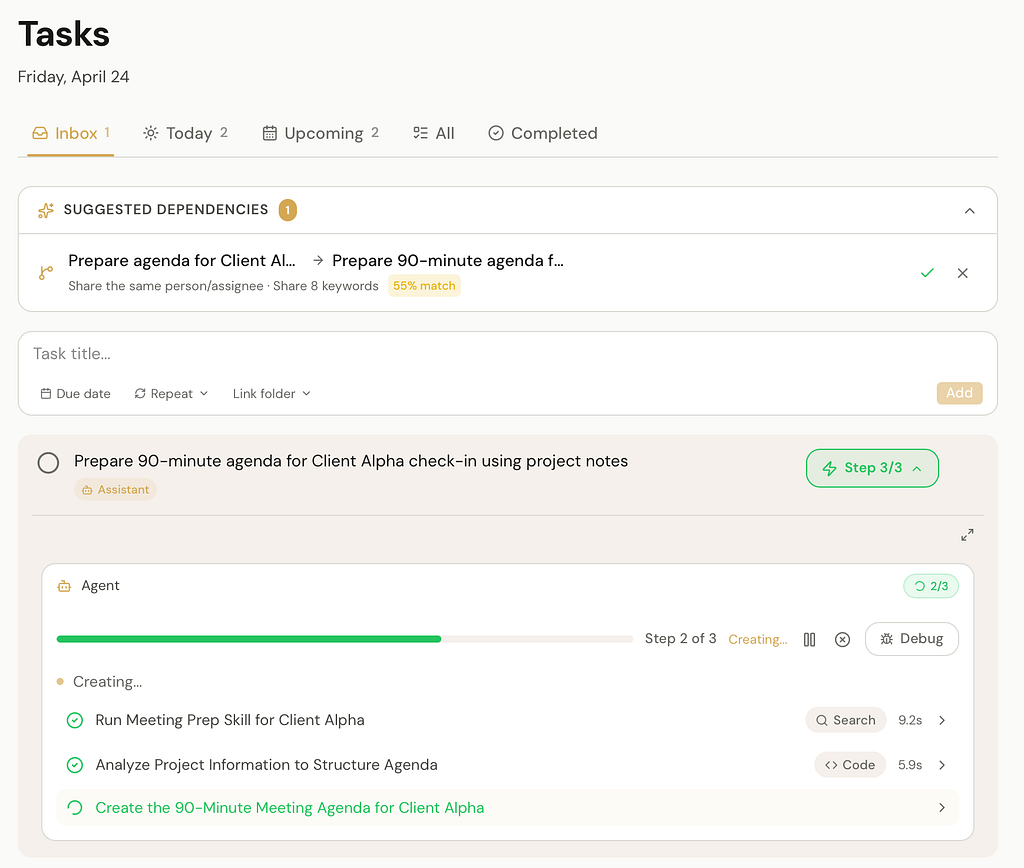
In Engramin, you don’t just chat with an AI. You set up scheduled agents against your projects. They read your notes, understand your project structure, and run on a cadence you pick — mine runs at 7am daily, before I open my laptop.
The difference from a workflow tool like Zapier is depth of context. A Zapier automation triggers when something happens, but it doesn’t understand your project’s decisions, blockers, or timeline. An Engramin agent traverses your knowledge graph — which is why it can flag problems you’d miss.
The morning briefing is the one I’d build first if I were starting over. It watches for forgotten tasks, stale conversations, and unresolved blockers across every project. It’s the agent that caught the two-week-old dependency I opened this post with. Most mornings, the briefing is mundane — a few reminders, a couple of nudges. But every week or two, it catches something that would have cost me hours or derailed a deadline. That hit rate is what made me trust the system.
Beyond the briefing, I run a daily research agent that does competitor and regulatory checks and writes findings back into the graph — so results compound instead of scrolling past in a feed. And a meeting prep agent that pulls relevant notes, decisions, and blockers to generate an agenda before each call. Paired with the Zoom integration, transcripts get processed after the call automatically — decisions extracted, tasks created, routed to the right folder.
The MCP part, which is probably the real reason to try it
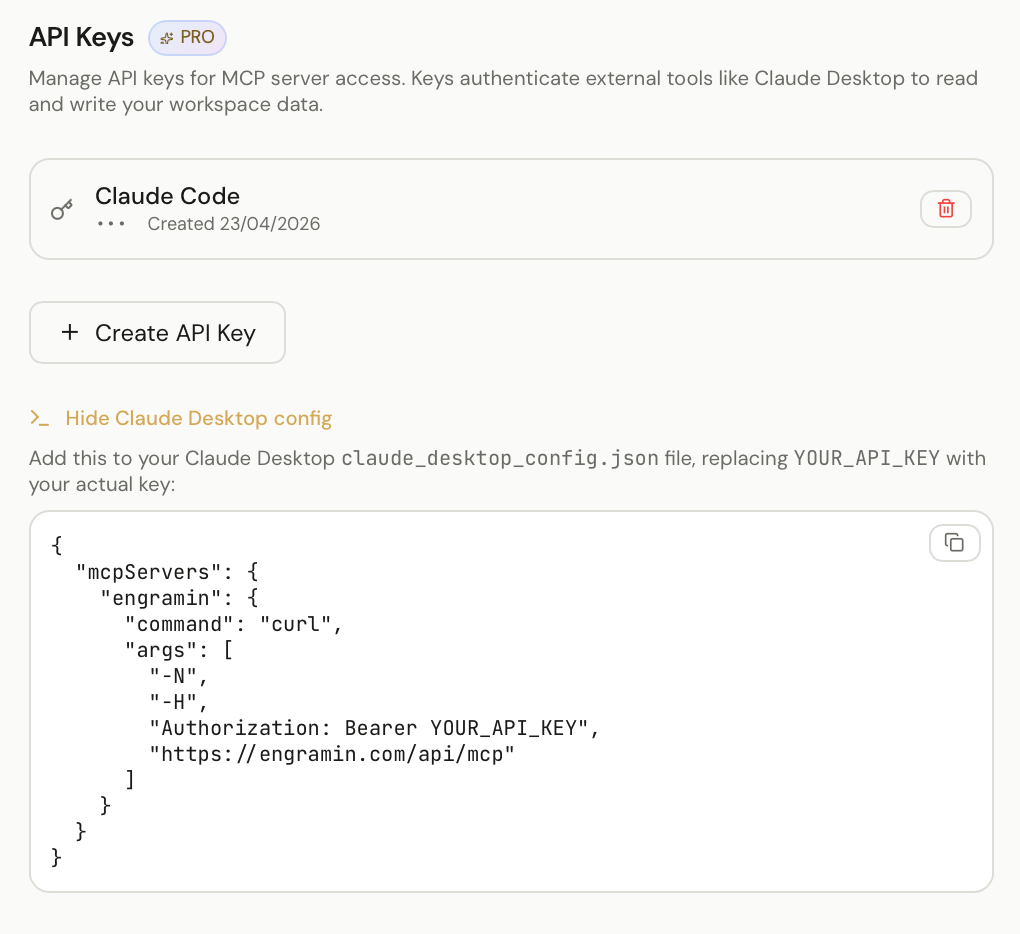
If you use Claude, Cursor, or Windsurf, this is the feature to pay attention to.
Engramin exposes your knowledge graph as an MCP server. Your coding assistant doesn’t need to be re-briefed every session. When I asked Cursor to implement a rate-limit change last week, it already knew we’d decided on 100 req/min per tenant — because it queried my Engramin workspace directly. No copy-paste. No re-explaining.
Most “AI memory” products make you live inside their chat UI. MCP inverts that: your memory goes wherever your AI is.
Your data, your rules
Most AI tools route your data through their servers. Notes, meeting transcripts, business context — all flowing through someone else’s cloud. For a personal project, maybe that’s fine. For anything sensitive, it’s a dealbreaker.
On the hosted tier, your knowledge graph lives on Engramin’s infrastructure, but LLM calls pass through to the provider — we don’t train on your data and we don’t retain prompts.
For organizations that need full control, the Scale plan offers self-hosted deployment with bring-your-own API keys, so nothing leaves your network.
Try it
Engramin is live at engramin.com. There’s an interactive demo at engramin.com/demo — no sign-up, just poke around.
Free tier covers the knowledge graph and 5 agent runs a day. Pro is $10/month for the MCP server and unlimited runs. Self-hosted is available if you need it.
One more thing
If something is broken or missing, tell me — I ship fast.
I stopped taking notes. I started assigning them to agents. was originally published in The Startup on Medium, where people are continuing the conversation by highlighting and responding to this story.