
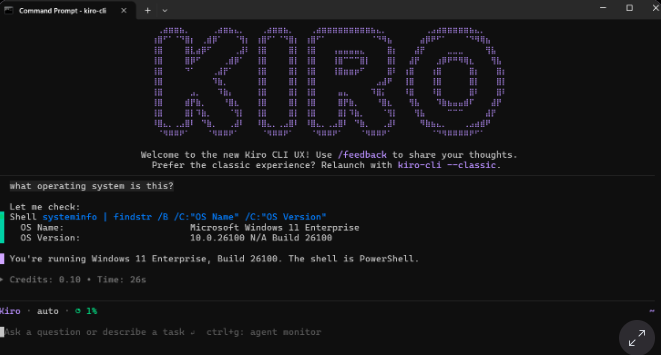
The AWS Kiro CLI team today is announcing v2.0, which delivers a headless mode, Windows support and an updated, refreshed user interface.
For the uninitiated, Kiro CLI is a command-line tool that allows developers to interact with agents directly in their terminal.
Headless mode enables users to run Kiro CLI without a browser, such as in CI/CD pipelines, container builds and automated workflows, the team announced in the blog announcement. This is accomplished by generating an API key, set that key as an environment variable, and Kiro CLI runs, with the same tools, agents and capabilities that running it in a terminal or browser enables. According to the Kiro team, headless mode allows user to “execute prompts like generating and publishing pull requests or running troubleshooting workflows without any user input locally, enabling true automation, so you can stay focused on innovating rather than continuously monitoring your deployments.” Here is an example of doing that.
Native Windows install
The new feature opens wider access to Kiro CLI, and lets developers use Kiro agents in the Windows Terminal, which eases the building of features into complex code, or automate workflows, and track bugs and analyze errors, the team wrote. Install the CLI to get started.
Refreshed User Interface
The team has built a subagent experience into the experimental Terminal UI released last month, and added a way to monitor the progress of those agents, to get the experience closer to the original, classic UX. Also new are an updated todo list and a new task list. The team said in the blog that they’re seeing subagents being used “to parallelize the work while protecting the parent agent’s context.”