
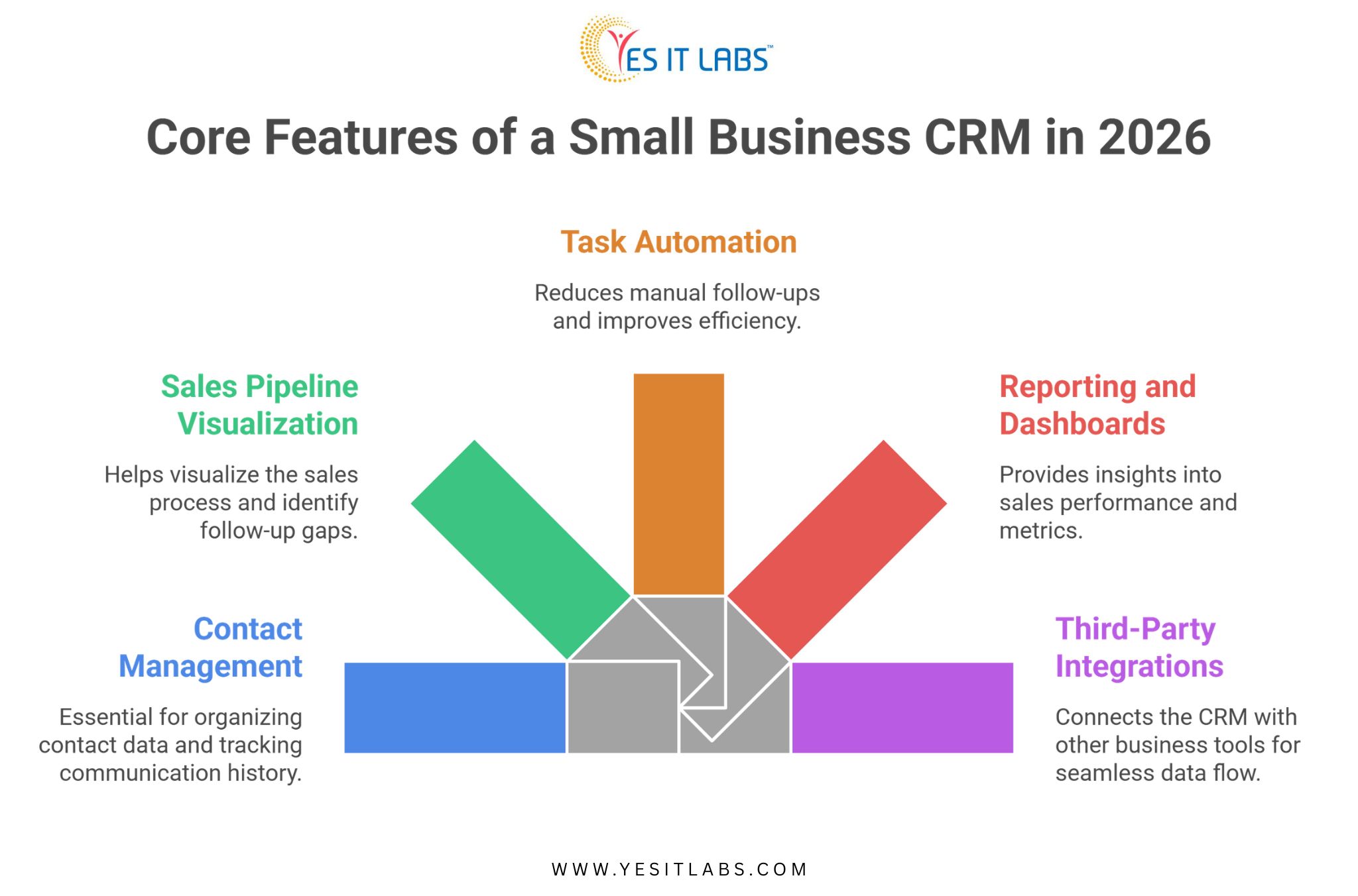
If you’re running a small business and evaluating CRM options, the short answer is this: a good CRM for small businesses in 2026 needs contact management, pipeline tracking, task automation, reporting, and integrations with the tools you already use.
But the features of a small business CRM that actually matter depend heavily on your sales process, team size, and how your customers move through your funnel. Generic off-the-shelf platforms often miss that nuance entirely.
Why Small Businesses Need a Different Kind of CRM
Enterprise CRM platforms are built for complexity. Hundreds of users, multiple departments, global pipelines. For a small business with 5 to 50 people, that kind of system creates more friction than it removes. You end up paying for features you’ll never touch while the things you actually need, like a simple follow-up reminder or a clear view of which leads went cold, are buried under menus.
A custom-built CRM flips that dynamic. You get exactly what your team needs, nothing more, and the system grows with you instead of forcing you to adapt to it.
According to Salesforce’s State of CRM report, businesses that implement CRM systems tailored to their workflows see up to 29% improvement in sales productivity. That number climbs even higher when the CRM is purpose-built rather than configured from a bloated template. (source)
What Are the Core Features of a Small Business CRM in 2026?
This is where most buying guides get vague. Let’s be specific.
Contact and Lead Management
This is the foundation. Your CRM needs to store contact data, track communication history, log calls and emails, and let you segment contacts by status, source, or deal stage. For small businesses, simplicity here is everything. If your sales rep has to click through four screens to find the last email they sent to a prospect, the system is already failing.
A well-built contact module also handles duplicate detection and merge rules, which sounds minor until you realize how quickly messy data compounds when your team is importing leads from multiple sources.
Sales Pipeline Visualization
A drag-and-drop pipeline board is now table stakes. What separates a good CRM from a mediocre one is how that pipeline behaves. Can you set custom deal stages that match your actual sales process? Can you get deal aging alerts when something has been sitting in one stage too long? Can you pull a quick report showing your average close time by lead source?
Small businesses lose deals not because of price or product, but because of follow-up gaps. A pipeline view built around your specific workflow closes those gaps.
Task Automation and Follow-Up Sequences
Manual follow-ups are where small business revenue leaks. Someone gets busy, a lead goes cold, and three months later you find out they signed with a competitor.
Automation in a CRM context doesn’t need to mean complex drip sequences. Even simple rules, like automatically creating a follow-up task when a deal moves to a specific stage, or sending a reminder email when no activity has been logged in seven days, can meaningfully change your close rate.
Reporting and Dashboards
You need to know what’s working. A CRM without solid reporting is just a glorified contact list. The metrics small businesses typically care about:
- lead conversion rate by source,
- average deal value,
- sales cycle length, and,
- rep-level activity.
A good dashboard surfaces these without requiring a data analyst to configure them.
Third-Party Integrations
Your CRM doesn’t live in isolation. It needs to talk to your email platform, your accounting software, your calendar, and depending on your business, your inventory or support tools. If the CRM can’t integrate cleanly with what you’re already using, you’re looking at manual data entry, which defeats the whole purpose.
Want to know more about the features before you evaluate any platform? Read our guide on- Key Factors to Consider When Choosing a CRM
Custom CRM vs. Off-the-Shelf: A Practical Comparison
| Feature Area |
Off-the-Shelf CRM |
Custom CRM |
| Setup Time |
Fast (days to weeks) |
Longer (weeks to months) |
| Cost Structure |
Recurring subscription |
One-time build + maintenance |
| Feature Fit |
Generic, may require workarounds |
Built around your workflow |
| Scalability |
Limited by vendor roadmap |
Scales on your terms |
| Integration Flexibility |
Pre-built connectors only |
Custom API connections possible |
| Data Ownership |
Vendor-controlled |
You own everything |
For businesses with straightforward needs, off-the-shelf works fine at the start. But as your team grows and your process becomes more defined, the gaps in a generic platform start showing up in lost time and lost deals.
Still weighing your options? Here’s a guide on 5 reasons why your business needs a custom CRM solution
What Role Does ERP Play in a Small Business CRM Setup?
This comes up more than people expect. When a small business scales past a certain point, the CRM starts bumping into inventory, invoicing, and operational data. That’s where ERP Software Development Services become relevant, not as a replacement for CRM but as a complementary layer.
A CRM handles the customer-facing side of the business: leads, deals, communication, and relationships. An ERP handles the operational side: inventory, procurement, finance, and fulfillment. When these two systems are integrated, your sales team can see real-time inventory levels before promising delivery timelines. Your finance team can pull revenue data that aligns with what sales is reporting. That kind of alignment is a competitive advantage, even at a small business scale.
Challenges Small Businesses Face When Building a Custom CRM
Getting a CRM built isn’t automatically a smooth process. Here are the friction points that show up most often.
Scope Creep During Development
Small businesses tend to add feature requests mid-build. What starts as a focused CRM ends up with a project management module, a customer portal, and a support ticketing system. That’s not necessarily wrong, but it delays launch and inflates cost. The discipline to build an MVP first and layer features in later is something most teams underestimate.
User Adoption
A CRM only works if your team actually uses it. If the interface is clunky or the data entry feels like a chore, people will go back to spreadsheets. Investing in UX during the build phase isn’t optional, it’s what determines whether the system gets used at all.
Choosing the Right Development Partner
This is probably the most consequential decision. If you’re evaluating a platform-specific approach for instance SugarCRM, the decision to hire SugarCRM developers talent versus building something fully from scratch is worth thinking through carefully. SugarCRM, for instance, is a strong open-source foundation for small business CRM builds, it gives you a working core and lets developers customize around it rather than building every module from zero. That can significantly reduce time to launch.
Not sure what to look for in a development partner? Here are our guide on the 6 key traits to look for when hiring a CRM developer
Practical Advice Before You Start Building
Before you write a spec or talk to a development firm, do this first: map your current sales process on paper. Every stage, every handoff, every tool you currently use. That document becomes the foundation for your CRM requirements. Developers can’t build what they can’t understand, and most CRM projects go sideways because requirements were vague upfront.
Also think about your data. Where does it live right now? Spreadsheets, email, a legacy platform? Data migration is consistently underestimated in terms of effort and cost. Plan for it explicitly.
If your business already uses Microsoft tools heavily, it’s worth exploring whether to hire Microsoft Dynamics CRM developers to extend what you already have rather than starting from scratch. Dynamics integrates natively with Outlook, Teams, and the broader Microsoft 365 ecosystem, which reduces friction for teams already living in that stack.
Finally, build for where your business will be in two years, not where it is today. The CRM that fits perfectly right now might not accommodate a second sales team, a new product line, or a partner channel you haven’t launched yet.
FAQ: Small Business CRM Features
What is the most important feature of a CRM for small businesses?
Contact and pipeline management. If a CRM can’t give your team a clear, current view of every active deal and the history behind each contact, nothing else matters. Most small businesses lose revenue not from bad products but from inconsistent follow-up, and that’s exactly what solid contact and pipeline features are designed to fix.
How much does it cost to build a custom CRM for a small business?
Rough range is $15,000 to $80,000 depending on complexity, integrations, and the development team you work with. A basic CRM with core features will sit at the lower end. Add automation, custom reporting, and multi-system integrations and you move toward the higher end. Ongoing maintenance typically runs 15 to 20 percent of the build cost annually.
Is a custom CRM better than Salesforce or HubSpot for small businesses?
Not always. If your needs are standard, HubSpot’s free or starter tier handles them well. A custom CRM makes more sense when your sales process is non-standard, when you need integrations that off-the-shelf platforms don’t support, or when recurring subscription costs at scale exceed what a custom build would cost over three to five years.
How long does it take to build a custom small business CRM?
A focused MVP with core features typically takes 10 to 16 weeks. That timeline extends when scope is broad, requirements are unclear, or the data migration process is complex. Businesses that invest time upfront in defining requirements almost always launch faster than those that figure it out during development.
Can a small business CRM integrate with accounting or inventory software?
Yes, and it should. API-based integrations with tools like QuickBooks, Xero, or inventory management platforms are standard in custom builds. This is one of the stronger arguments for custom CRM software development services over off-the-shelf options, since generic platforms often limit which integrations are available or charge extra for them.
Conclusion
The features of a small business CRM in 2026 aren’t dramatically different from what they were three years ago. Contact management, pipeline visibility, automation, and integrations still form the core. What has changed is the expectation. Buyers are more informed, sales cycles are more competitive, and the gap between businesses with clean systems and those without is more visible than ever.
A CRM that fits how you actually sell, built on a foundation that can grow with you, is worth the investment. The key is being deliberate about what you build, choosing the right technical foundation, and making sure your team will actually use it.